
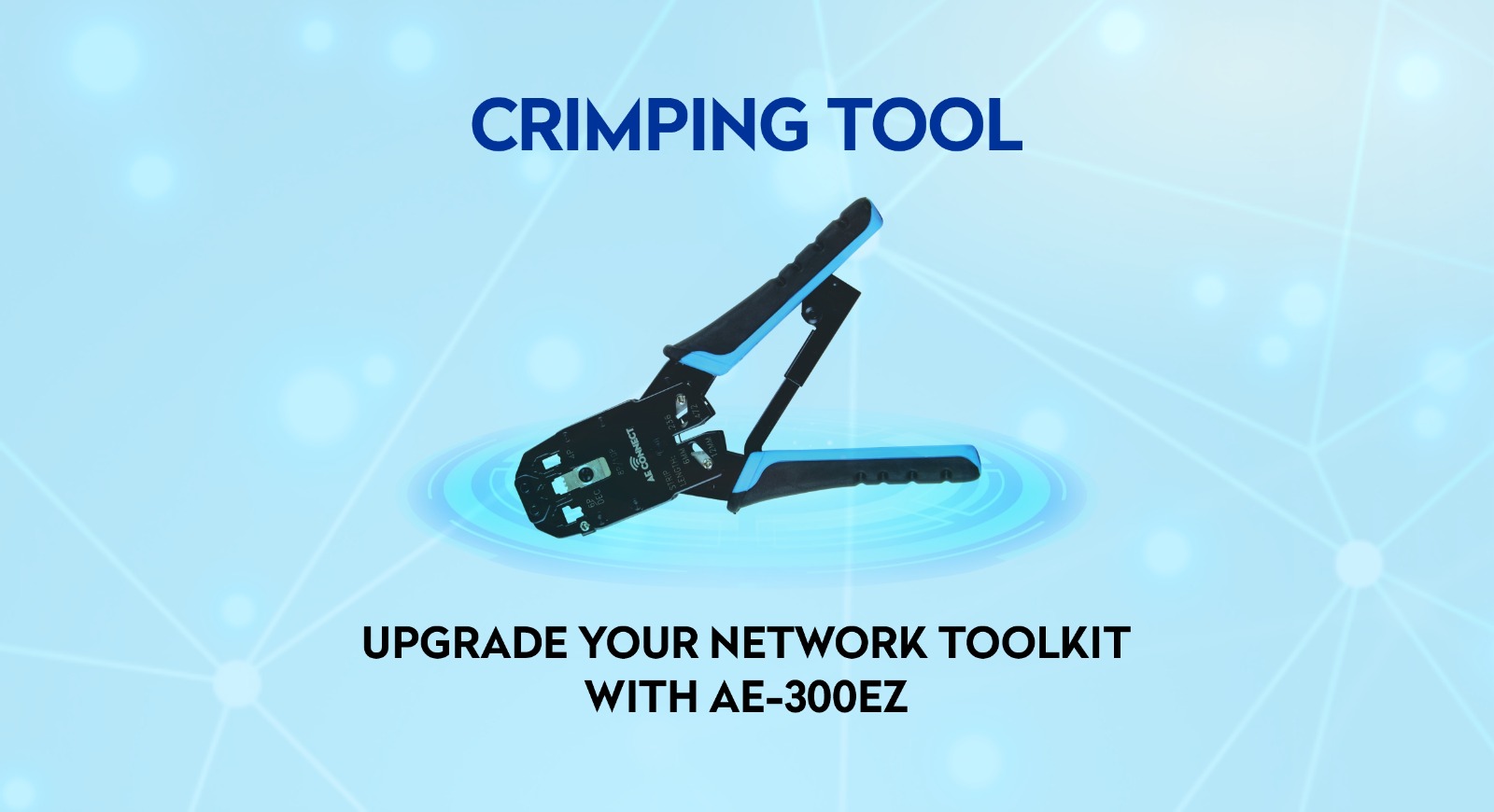
You pay for high-speed internet, yet your video calls still buffer. Often, the culprit isn’t your provider, but a poorly terminated Ethernet cable. A loose connection can ruin your entire network experience. To fix this, you need a professional crimping tool. In this guide, we will use the AE-300EZ Crimping Tool from AE Connect to show you how to master Cat6 termination perfectly. Whether you are a pro or a DIY enthusiast, this tool ensures precision and durability for connections that last.
Cheap Market Tools vs. AE-300EZ: The Difference
Many people buy the cheapest tool at the local hardware store and wonder why their cables fail. Here is why upgrading to a professional Ethernet cable crimper like the AE-300EZ matters:
| Feature | Cheap Market Tool | AE-300EZ Professional Tool |
| Build Material | Soft iron or plastic | High-Quality Carbon Steel |
| Durability | Rusts quickly, jaws misalign | Black oxide finish, stays sharp |
| Crimp Force | Uneven (crushes pins) | Ratchet mechanism (equal pressure) |
| Result | Loose contact, signal loss | Solid connection, gigabit speed |
If you are serious about structured cabling, investing in a reliable tool is not a luxury. It is a necessity.
The AE-300EZ Advantage
Before we start, let’s look at why professionals prefer this specific RJ45 crimping tool:
- Durability: Built to survive a tough job site.
- Comfort: The PVC grip saves your hands from fatigue during long installations.
- Versatility: Handles both RJ45 (Data) and RJ11 (Voice) connectors.
- Precision: The force-saving ratchet ensures you never over-crimp or under-crimp.
Tools You Will Need
To get the best results, you need the right set of network installation tools. Gather these items before you start:
- Cat6 Ethernet Cable: High-quality copper cable.
- AE-300EZ Crimping Tool: The star of our show.
- RJ45 Connectors: Ensure they are compatible with Cat6.
- Cable Stripper: Sometimes included with the crimping tool.
- LAN Cable Tester: To verify your work.
Step-by-Step Guide to Perfect Termination
Follow these steps carefully. Take your time.
Step 1: Strip the Cable Jacket
Use the stripping blade on your tool.
- Remove about 1.5 inches of the outer blue or grey jacket.
- Be gentle. You only want to cut the plastic, not the copper wires inside.
- Rotate the tool once and pull the jacket off.
Check point: If you see any cuts on the inner wires, cut that section off and start again.
Step 2: Untwist and Organise
Inside, you will find four twisted pairs and a plastic divider (spline).
- Cut the spline flush with the jacket.
- Untwist the wire pairs.
- Pro Tip: Use a screwdriver shaft to flatten the kinks. The straighter the wires, the easier they slide into the connector.
Step 3: Arrange by Colour Code (T568B)
In India, we strictly use the T568B standard. Arrange left to right:
- Orange-White
- Orange
- Green-White
- Blue
- Blue-White
- Green
- Brown-White
- Brown
Hold them tightly. If they swap places, the cable is useless.
Step 4: Trim the Wires
The wires are uneven now. You need a straight cut.
- Use the cutting blade of your crimping tool.
- Trim them to about half an inch from the jacket.
- Crucial: The cut must be a perfect 90-degree line.
Step 5: Insert Wires into the Connector
Hold the RJ45 connector with the clip facing away from you. Push the wires in.
- Look at the front: You must see the shiny copper ends of all 8 wires touching the front plastic.
- Look at the back: The cable jacket must go inside the connector. This provides strain relief.
Step 6: Crimp the Connector
Insert the connector into the AE-300EZ. Squeeze the handles firmly.
You will feel the ratchet mechanism engage. Keep squeezing until the tool clicks and automatically releases. This single, smooth action pushes the gold-plated pins into the wires for a solid electrical connection.
Step 7: Repeat and Test
Do the same for the other end. Plug both ends into a LAN cable tester. If all 8 lights blink in sequence, you have done a professional job.
Common Mistakes to Avoid
- Jacket outside the connector: The wires will eventually break from bending.
- Wrong color order: Green-White often gets confused with Green. Double-check before crimping.
- Rusty tools: A bad tool smashes the connector. The AE-300EZ pierces it cleanly.
Why Professional Installers Choose AE Connect
Reliability is everything. AE Connect provides tools and components built specifically for the Indian market’s needs. Whether you are wiring a home office or a corporate building, the AE-300EZ ensures that when you leave the site, the network stays up.
Frequently Asked Questions (FAQs)
Q1: Can I use the AE-300EZ crimping tool for telephone cables also?
A: Yes, absolutely. It works perfectly for both RJ45 (Ethernet) and RJ11 (Telephone) connectors.
Q2: How do I know if my current crimping tool is worn out?
A: If you have to apply too much force to get a connection, that is a bad sign. Also, if the tool is rusting like a cheap local market product or the hinge is shaky, it is time to upgrade to a branded tool like AE-300EZ.
Q3: Is a LAN tester really necessary?
A: 100% yes. Without a tester, you are just guessing. Even if it clicks, a tester is the only way to be absolutely sure that the signal is flowing through all 8 wires.
Q4: Why does the cable jacket need to go inside the connector?
A: To avoid a loose contact later. If the jacket is outside, the wires will snap with the slightest pull. Do not rely on shortcuts; fit the jacket inside properly for a durable connection.
Q5: What is the “Ratchet” mechanism?
A: It is a locking system that ensures equal pressure. It means you don’t have to stress about under-crimping. The tool does the hard work, so there is no worry of making a mistake.